First Bank 
Hello!
You can access your accounts here.
For the best user experience from your mobile device, download our app.

Login to online banking
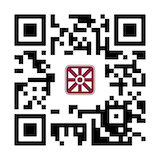
Manage your money on the go from any device with the My First Bank Mobile App.
Scan to download it now.

Frequently Asked Questions
Get the answers you need below, sorted by topic.
You Searched For: ""
No results found.
Account Information
What do I do if I don’t recognize a charge on my account?
If you notice a transaction you don't recognize, lock your debit card immediately through Card Management in My First Bank Mobile App or Online Banking to help prevent any additional unauthorized activity. Once your card is locked, select Transaction Dispute within Card Management to submit a claim 24/7. If you need assistance or have questions about the dispute process, our Dispute Center is available Monday through Friday from 8:00 a.m. to 7:00 p.m. at 1-844-918-1417.
Visit our Debit Card Support page for additional debit card assistance and resources.
What do I do if I want to update my address or phone number?
In your My First Bank Mobile App, click on the three stacked lines at the top left-hand corner of the screen, then click on your name in the bottom left-hand corner, and choose Settings. From there, click your name again to edit your address and contact info.
In Online Banking, from the Dashboard, you'll click on your name in the bottom left-hand corner and follow the same steps as you would within the app.
Or, to connect with us, start a chat with us through Support in My First Bank Mobile App or Online Banking, email Customer-Service@MyFirst.Bank, or call 1-800-538-3979.
What is the First Bank routing number?
The Routing Number for First Bank is 081205222.
It can also be found at the bottom of this page, as well as in the bottom-left hand corner of your First Bank check.
Debit Cards

Why isn't my debit card working?
A debit card can be declined for a variety of reasons. To stay informed about card activity and potential fraud concerns, be sure to enable alerts through Card Management in My First Bank Mobile App or Online Banking.
If your debit card is declined, here are two steps you can take:
Check for fraud alerts.
Look for an email or text message from Fraud Center Alert/FIRSTBNK. If our fraud monitoring system detects suspicious activity, you'll receive a notification with transaction details and instructions to either confirm or deny the purchase.
If the transaction is legitimate, respond promptly to validate the purchase. Your debit card should then continue to work normally.
If you do not recognize the transaction, lock your debit card immediately through Card Management in My First Bank Mobile App or Online Banking to help prevent any additional unauthorized activity. Once your card is locked, select Transaction Dispute within Card Management to submit a claim 24/7. If you need assistance or have questions about the dispute process, our First Bank Dispute Center is available Monday through Friday from 8:00 a.m. to 7:00 p.m. at 1-844-918-1417.
Verify your card information.
Before trying the transaction again, double-check that your debit card number, expiration date, three-digit security code (CVV), and billing ZIP code were entered correctly. Even a small typo can cause a transaction to be declined.
Visit our Debit Card Support page for additional debit card assistance and resources.
How do I report a lost or stolen debit card?
You can report your lost or stolen First Bank Debit Card 24-hours a day by calling 1-888-297-3416, option 2.
If you notice unauthorized activity on your debit card, you can turn your card off right away with the Card Management feature in your First Bank Mobile App and Online Banking.
Even if you use Card Management to turn off your debit card, you should still contact us to report the unauthorized activity on your card and obtain a new one.
How do I activate my debit card and set a PIN?
Call 1-800-290-7893 and follow the prompts for activating your card and establishing a personal identification number (PIN).
If you have questions or need assistance, start a chat with us through Support in My First Bank Mobile App or Online Banking, email Customer-Service@MyFirst.Bank, or call 1-800-538-3979.
How do I get a new debit card?
To request a new or replacement First Bank Debit Card, start a chat with us through Support in My First Bank Mobile App or Online Banking, email Customer-Service@MyFirst.Bank, or call 1-800-538-3979.

What is Autobooks and who is it for?
Autobooks is a payments and accounting product suite designed for small and micro-businesses available with First Bank Mobile and Online Banking. The solution bundles essential back-office tools into a single, easy to use interface that includes invoicing, payments and accounting.
Autobooks is intended for business clients age 18 years and older who have a checking account and use First Bank Mobile and Online Banking.
The following types of businesses make a great fit for Autobooks:
- Any business that sends invoices for its product or service or needs an accounting and cash flow management platform.
- Service-based businesses such as landscapers, plumbers, electricians, consultants and others.
- Entrepreneurs or individuals with side hustle-type jobs such as babysitting, freelancing, tutoring, photography, etc.
- Nonprofit organizations seeking to collect donations online.
What are the benefits of using Autobooks?
Autobooks is a complete set of financial tools that can be accessed within First Bank Mobile and Online Banking allowing businesses to manage their accounts and billing all in one place.
With Autobooks you can:
- Create professional electronic and physical invoices in seconds.
- Accept payments by credit card, debit card and ACH transfer.
- Track customer payments and accounts receivable.
- Generate reports like balance sheets, income statements and customer aging reports with the click of a button.
Is Autobooks safe?
Yes! Autobooks exceeds industry standard security recommendations to protect your business and financial information.
How much does Autobooks cost?
Autobooks is complimentary to First Bank clients. For accounting automation and to generate detailed reports, balance sheets, general ledgers and financial statements for tax time, an upgraded version is available for $9.99 per month.
What type of customer payments can Autobooks process?
Autobooks processes your customers’ credit card, debit card and ACH payments. Autobooks will send notification of payments made within the system, and funds are generally available 2-3 business days after the payment is initiated.
Who will have access to Autobooks?
Anyone who has access to your First Bank Mobile and Online Banking will be able to access Autobooks. Note, all individuals who can access Autobooks will have full functionality of the service.
And, there is no need to download any kind of software. Autobooks resides completely in First Bank Mobile and Online Banking.
My business already has QuickBooks. Why should I consider switching to Autobooks?
Autobooks offers functionality that is similar to QuickBooks but without the need to transfer data. Autobooks offers features that are the right size for small businesses and allows a business to keep all their accounting securely in one place.
Autobooks is accessed through First Bank Mobile and Online Banking, so there is no need for multiple logins. Additionally, Autobooks is designed with small business owners in mind, not accountants, so it is streamlined to help you better manage your business cash flow, receivables, payables – all in a fully integrated accounting tool.
Customer lists that can be exported out of QuickBooks and imported into Autobooks.
How long does it take to enroll in Autobooks?
Simply log in to your First Bank Mobile and Online Banking dashboard, then click on the Autobooks widget to get started. If you have trouble locating the widget, please start a chat with us in mobile or online banking during business hours – click Support then Start a conversation, or stop by or call your nearest branch.
You can begin accepting payments within two business days.
How do I get help with my Autobooks?
You can start a chat with us in mobile or online banking during business hours – click Support then Start a conversation, or stop by or call your nearest branch.
Digital Banking

How do I enroll my account in eStatements?
Enrolling in eStatements is quick and easy. Log in to First Bank Online Banking or My First Bank Mobile App, then:
- Click on the three stacked lines at the top left-hand corner of the screen
- Select your name, then Settings
- Under Accounts, select First Bank
- Select account
- Select Documents
- Enroll
If you prefer that your account statements be mailed, this service is available with some accounts for a fee.
How do I add an external account within My First Bank Mobile App?
Log in to your My First Bank Mobile App, then:
- Click on the three stacked lines at the top left-hand corner of the screen.
- Select your name, then Settings.
- Under Accounts, Select 'Add account.'
- Choose 'Link an account' or 'Make external transfers'.
How do I deposit a check with My First Bank Mobile App?
You'll love the convenience of our mobile check deposit feature in your My First Bank Mobile App. It provides you with the freedom to deposit a paper check any time and from anywhere using your app.
- First, ensure your check is properly endorsed. In addition to signing the back of your check, write 'Mobile Deposit Only' below your signature.
- Then, log in to your app. In the main menu, click 'Deposit'. You will then be prompted to enter the dollar amount of the check.
- Next, you will take a picture of the front and back of your check. Be sure the check is placed on a flat, well-lit surface to ensure clear images.
- After successfully submitting your check, you will receive a confirmation message, and once approved, you will receive an email confirmation.
- After you’ve confirmed that your check has been added to your account, you'll want to securely store your paper check for 14 days.
- After 14 days, you may shred your check.
How do I enroll in Bill Pay?
It's easy to start saving time and cost of stamps with Bill Pay. Simply log in to your My First Bank Mobile App or Online Banking. Click 'Bill pay,' then 'Enroll.'
How do I set up a payee in Bill Pay?
In your My First Bank Mobile App and Online Banking, click on 'Bill pay,' then navigate to Payees, click 'Add a payee' and follow the easy prompts.
Security

What do I do if I suspect fraud on my account?
If you suspect fraud on your account, lock your debit card immediately through Card Management in My First Bank Mobile App or Online Banking to help prevent any additional unauthorized activity. Once your card is locked, select Transaction Dispute within Card Management to submit a claim 24/7. If you need assistance or have questions about the dispute process, our Dispute Center is available Monday through Friday from 8:00 a.m. to 7:00 p.m. at 1-844-918-1417.
Visit our Debit Card Support page for additional debit card assistance and resources.
Checking Accounts
How do I order checks on my account?
It's quick and easy to order checks in your My First Bank Mobile App and Online Banking. Just follow these simple steps:
- Log in, then select 'Accounts,' then choose one you need checks for.
- Select 'Check Ordering,' and follow the prompts.
SBA Loans

What is an SBA loan?
SBA loan programs can help you start or expand a small business. SBA loans can be used for your business’s real estate, equipment purchases and working capital. They are government-guaranteed loans built to help small business owners succeed through smaller down payments, no minimum loan amount and flexible repayment periods. Because the terms of the loan are typically tailored to meet the specific needs of each business, it is recommended that you contact a member of our commercial lending team to discuss the terms and rates available to you.
How do SBA loans work?
SBA loans are in fact bank loans, so you can apply through a local SBA lender like First Bank. Due to the tendency for small business ventures to be risky in nature, government backing makes it possible for small business lenders like First Bank to take a chance on new and smaller companies. This crucial funding allows companies to invest in their business in a variety of ways.
What can small business financing be used for?
From starting to expanding your business, there are many ways to use an SBA loan. 7(a) Loans, which are the most general programs, can be used for physical purposes such as expanding or renovating your space, buying land or commercial properties, equipment and fixture purchases, inventory acquisition and lease-hold improvements. You can also use a 7(a) loan to improve cash flow through debt refinance, a seasonal line of credit or working capital. SBA 504 loans can also be used for funding assets such as equipment or real estate, but the interest rate is fixed instead of variable and the terms may vary compared to a 7(a) loan.
faqs